
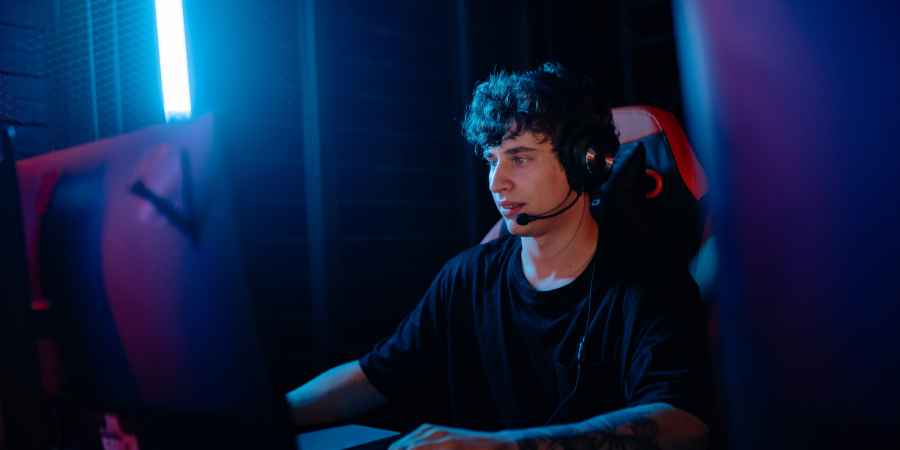
Sound plays an important role in many modern games. Footsteps, weapon reloads, vehicle movement, environmental effects, and voice communication can provide information that is difficult to notice through visuals alone.
A gaming headset can make these sounds easier to hear and distinguish, particularly when playing competitive games where quick reactions are important. However, the headset itself is only part of the equation. Audio settings, game design, microphone quality, comfort, and how well the headset fits your setup can all affect the experience. Understanding these factors can help you choose and use a gaming headset more effectively.
Why Audio Matters in Gaming
Visual information is only one source of information during a game. Audio can indicate that another player is approaching from behind, a weapon is being reloaded nearby, or an event is happening outside your immediate field of view. In games with detailed sound design, these cues can help you understand what is happening around your character.
This is particularly relevant in competitive shooters, multiplayer games, and other titles where identifying the direction and distance of sounds can influence your next decision. A good gaming headset can make these audio cues easier to hear, although the quality of the game’s audio system also matters.
Directional Audio Can Help You Locate Sounds
One of the main advantages of using headphones or a gaming headset is the ability to distinguish sounds coming from different directions. Stereo audio separates sounds between the left and right channels. More advanced gaming audio systems can create a greater sense of spatial positioning, helping you determine whether a sound is coming from in front, behind, above, or beside your character.
This can be useful when listening for footsteps or other movement cues. However, directional accuracy depends on the game, audio settings, headset design, and software processing. A more expensive headset does not automatically guarantee better positional awareness.
Footsteps and Movement Sounds
In competitive games, footsteps can provide useful information about nearby players. A headset with clear midrange and high-frequency reproduction can make sounds easier to distinguish from other effects. This can help you notice activity that might otherwise be masked by music, explosions, or environmental sounds.
The ideal sound profile depends on the game. Excessive bass, for example, can sometimes make other details less distinct if low-frequency effects become too prominent. Instead of looking for a headset that simply produces louder audio, consider one that provides clear separation between different sounds.
Sound Separation Matters
Gaming environments can become crowded with different audio signals. You might hear gunfire, explosions, background music, character dialogue, environmental effects, and footsteps at the same time. If these sounds blend, identifying a specific cue can become difficult.
A headset with good sound separation can make individual elements easier to distinguish. This does not mean every gaming headset needs an extremely bright or highly detailed sound profile. The goal is to hear important cues clearly without making the overall sound uncomfortable.
Volume Is Not the Same as Clarity
Turning up the volume might make quiet sounds easier to hear, but louder audio is not necessarily better. Excessive volume can make strong sound effects overwhelming and may make it harder to focus on subtle audio cues. It can also expose your hearing to unnecessarily high sound levels.
A better approach is to use a comfortable volume and adjust the game’s audio mix where possible. If the game provides separate controls for effects, music, dialogue, and voice chat, adjusting these levels can sometimes improve awareness without increasing overall volume.
Game Audio Settings Can Make a Difference
Many games provide audio settings that allow players to adjust the sound environment. Depending on the title, you might be able to change the overall mix, reduce music volume, adjust dialogue, or select an audio output mode designed for headphones.
These settings can affect how clearly gameplay sounds come through. It is worth experimenting with the available options rather than relying entirely on the headset’s default settings.
Virtual Surround Sound
Some gaming headsets offer virtual surround sound or spatial audio features. These technologies process audio to create the impression that sounds are coming from different locations around the listener. When implemented well, they can make a game environment feel more spacious.
However, virtual surround processing does not work equally well for every game or player. Some people prefer a straightforward stereo output because it provides a clearer and more natural sound. If a surround mode makes positional cues less obvious, switching it off may produce better results.
The Microphone Also Matters
A gaming headset is often used for communication as well as listening. In team-based games, clear voice communication can provide important information. Teammates might warn you about an opponent, coordinate an attack, or provide updates about an objective.
A good microphone should transmit your voice clearly without excessive background noise. Features such as a flip-to-mute microphone, noise reduction, and adjustable microphone positioning can make communication easier during longer sessions.
Comfort Affects Concentration
In-game awareness is difficult to maintain if the headset becomes uncomfortable. Weight, earcup size, padding, clamping force, and headband design can all influence comfort. A headset that feels fine for 30 minutes might become uncomfortable after several hours.
If you regularly play long sessions, comfort should be considered alongside audio performance. A comfortable fit can also help maintain a consistent seal around the ears, which may affect how clearly you hear game audio.
Wired or Wireless?
Both wired and wireless gaming headsets can be suitable for competitive gaming. Wired models provide a direct connection and do not require battery charging. Wireless models offer greater freedom of movement and can reduce cable clutter.Modern gaming-focused wireless headsets can provide low-latency performance, although the exact experience depends on the connection technology and model.
If positional audio is important, check the headset’s specifications and compatibility with your gaming platform before purchasing.
Open-Back and Closed-Back Designs
Headset design can also influence how you hear the game. Closed-back headsets generally provide stronger isolation from outside noise. This can help when playing in a busy environment because external sounds are less likely to interfere.
Open-back designs allow more airflow and can create a more natural, spacious sound. However, they also allow more sound to pass in and out, making them less suitable for noisy environments. The better option depends on your room and how much isolation you want.
Match the Headset to Your Game
Different games place different demands on audio. Competitive shooters often place significant importance on footsteps and directional cues. Racing games may benefit from detailed engine and environmental sounds. Role-playing games can place greater emphasis on music, dialogue, and environmental immersion.
Consider the games you play most often when choosing a headset. A balanced headset may be more suitable if you play several genres rather than focusing exclusively on competitive titles.
Do You Need an Expensive Gaming Headset?
A higher price does not automatically mean better in-game awareness. A premium model might offer better materials, improved microphone performance, wireless connectivity, additional software features, or stronger build quality. However, an affordable headset can still provide clear and useful gaming audio.
Focus on the features that directly affect your needs. Sound clarity, positional performance, comfort, microphone quality, and compatibility may matter more than cosmetic features.
Conclusion
A gaming headset can contribute to better in-game awareness by making directional sounds, footsteps, communication, and other audio cues easier to hear. However, the headset is only one part of the experience. Game audio settings, volume levels, sound processing, microphone quality, comfort, and the type of games you play all influence how useful the audio becomes.