
If you got into a new car and found the pedals in the wrong place and the dashboard in a language you don’t speak, you’d probably get back out and wouldn’t think of driving it. Yet in the world of forex trading, people often sign up for platforms that they routinely find confusing.
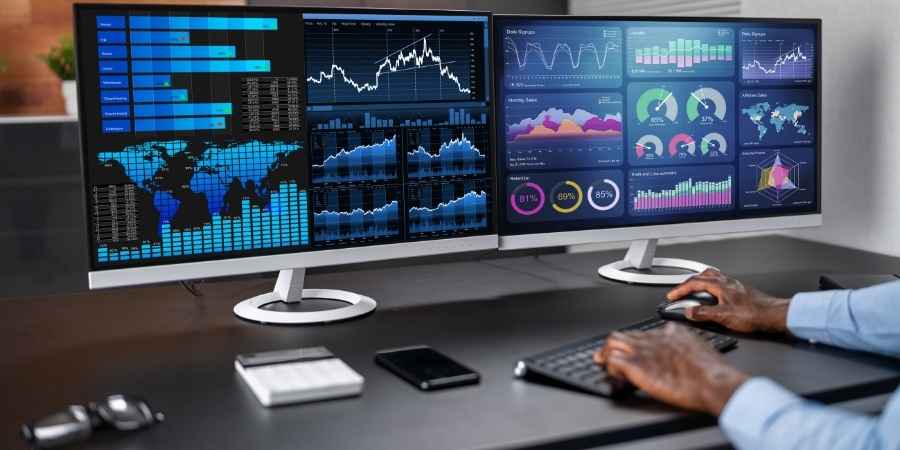
A trading dashboard isn’t just a screen; it is the command center for you to operate your trading strategy. It is always advisable to test demo accounts on your shortlisted platforms to be able to assess whether the broker and their infrastructure are right for you. When it comes to testing these demo accounts, you aren’t just looking for features, but more importantly an intuitive layout that prevents feelings of decision fatigue during those all-important high-pressure moments.
Why Your Dashboard Is Your Personal Command Center
The dashboard is where data, trading, and analysis all meet. By definition, it must be functional and efficient for traders to operate well under stress. This means you shouldn’t just pick a broker that has a pretty dashboard, but one that can be made to measure for your requirements.
A professional-grade dashboard is one that has been designed to reduce your cognitive load, the mental effort needed to use the software itself, when making crucial split-second decisions. At the end of the day, if your dashboard isn’t designed to help you focus, then instead it’ll be distracting you from the markets.
Essential Feature #1: Uncompromising Customization and Layout
As every trader has a unique and distinct approach to trading, with different focuses, having a fully customizable dashboard is essential when it comes to choosing the right platform. Some people want to focus their trading on technical analyses; others will focus on news-driven trading instead. Therefore, a one-size-fits-all approach to a dashboard is not what you should be looking for.
There are three details you should be looking for when testing a demo trading account: full customization of the windows, saving your chosen workspace layout, and movement of the individual panels. When it comes to customization, can you drag, resize, or hide windows? If you’re forced into a rigid layout by the platform, it isn’t a pro-level broker. Regarding the workspace, can you save different setups? For example, one workspace that allows you to perform deep analysis and another that is ready for you to execute your strategy, with seamless switching. In terms of movement, you should always try to drag every single panel on the workspace. If any panel is immovable, that’s a red flag for the platform.
Essential Feature #2: Data, Speed, and Advanced Charting
To be as informed as possible with your decision-making process, you need to have confidence in the visibility of data, the speed at which you can access essential information, and access to advanced charts that allow you to overlay important technical indicators. When you are testing demo accounts, look for top brokers who offer charting tools that are clean and responsive. A clean visual interface will ensure every decision you make is based on market signals, without the need to fight through cluttered software.
When reviewing how the platform presents data, you should look for how price information is displayed. You want a platform that gives clear and accurate pricing at a glance. The best platforms will offer easy-to-use advanced charting tools, where you can analyse a technical indicator like RSI or the moving average over the top of the pricing data. Overall, you’re looking for an interface that allows you to move at speed through clarity of information. It may take you testing out a few demo accounts to find the one that offers everything you need to execute your strategy well.
Essential Feature #3: Integrated Risk Management and Order Types
The final element that can make or break a platform for you is actually making your trades with the specific order type requirements. Whilst most traders test their strategy in a demo account before going ahead with a real account, there are a few crucial features to make sure the platform offers: readily available order tickets and a variety of order types made clear.
When you’re ready to make a trade, is the order ticket easily clickable? Can you set your stop-loss and take-profit levels on the chart or directly in the ticket window itself? Any platform that makes it as simple as possible to quickly make your desired trade is a good one, giving you confidence that you’ll always be able to move swiftly in crucial moments. When you’re making the trade itself, is there a clear menu for market, limit, and stop orders? A professional platform will always make these choices obvious to you. If you are struggling to find the options, that’s a red flag for the platform, and you should look elsewhere instead.
Dashboard Philosophies: Which One Fits You?
The most important element of all is that once you find a platform that gives you everything you need to enact your strategy, you need to spend some time experimenting with the dashboards to find a philosophy that suits you. For some, a minimalist approach that strips back the data to a clean and simple layout works best, allowing traders who can get overwhelmed by data to focus only on what they need at that moment.
For others, they want as much information as possible with a complex, multi-panel display to analyse and monitor deep, concurrent data so that they can keep track of multiple charts at once. Until you spend a little bit of time in a demo trading account, you won’t know what type of layout best suits you and your trading style.
Putting This Into Practice
Ultimately, when you’re testing demo accounts, you shouldn’t just browse the platforms but actually simulate a trading strategy so you can determine whether it provides everything you need to have the best chance of success. Your demo account is effectively your own laboratory. Don’t just demo trade for trading’s sake; demo trade to test if the platform works for you.
If the platform you’re testing feels like an obstacle to your thought process, then do not open a real account and deposit your money. It is essential that you find a broker that makes your trading workflow feel like second nature, reducing the cognitive load that you waste on using the software instead of thinking about the trade.