
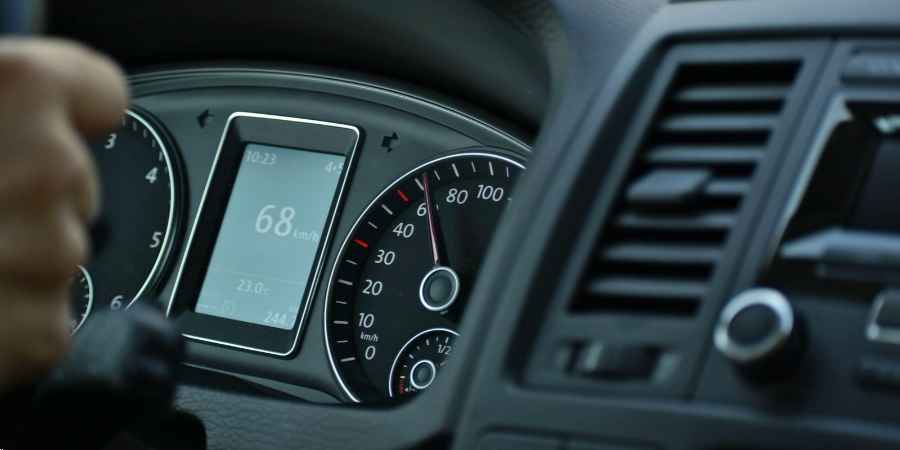
A van reports an engine warning on Monday morning. The telematics portal records it, the driver notices the light and keeps driving, and the fleet manager learns about it on Thursday, when the vehicle is standing at a customer site. The data was there the whole time. What was missing was a defined response. Many fleet systems share this weakness: they collect vehicle data without connecting it to a task, a person or a deadline. Fleet management automation links each relevant event to a concrete next step, so that information leads to maintenance, a workshop visit or a dispatching decision.
Vehicle Tracking Alone No Longer Answers the Important Questions
A position on a map shows where a vehicle is. It does not show whether the vehicle is fit to drive, when the next inspection is due or whether it can take tomorrow’s long-distance tour. Those are the questions fleet managers and dispatchers deal with every day.
Tracking was the first step of fleet digitalization, and it remains useful for arrival times and customer information. Costs, however, are decided elsewhere: in unplanned downtime, missed service intervals, expired inspections and avoidable repairs. Managing them requires data on the technical condition and use of each vehicle, and a process that responds to it.
Live Data From OBD, CAN, Tachograph and Sensors
Modern vehicles deliver far more than a location. Five sources are relevant for fleet operations:
- OBD data: fault codes, mileage, fuel consumption and engine status read through the diagnostic port, mainly in cars and vans.
- CAN and FMS: detailed operating data from trucks, buses and machines, such as fuel consumption, engine hours and driving behavior.
- Digital tachograph: driving and rest times, with files downloaded remotely.
- Sensors: temperature in refrigerated bodies or the operating status of attached equipment.
- Apps: reports from drivers, for example departure checks or damage photos.
With CAN bus telematics, this data is read remotely and processed in a central portal. AREALCONTROL, a provider based in Stuttgart, states that its devices currently read more than 70 parameters and support several thousand vehicle and machine types. A telematics platform of this kind is the technical basis for IoT fleet management, in which vehicles, trailers and machines report their status continuously.
- Technical Events That Should Trigger a Response
Not every data point needs attention. Automation starts with a decision about which events matter and what should happen when they occur.
- MIL warning: the engine warning light on the dashboard signals an engine or emissions fault. It should create a task immediately, because continued driving can increase the damage.
- DTC codes: diagnostic trouble codes identify the affected system. They allow the workshop to prepare parts and time before the vehicle arrives.
- Mileage and operating hours: reaching a defined value starts service planning without manual odometer readings.
- Service intervals and inspection deadlines: statutory inspections, safety checks and lease returns are tracked by date.
- Threshold values: battery voltage, coolant temperature or other measurements outside the normal range.
Vehicle diagnostics deliver the signal. Maintenance management determines how urgent it is, who is responsible and by when the issue has to be resolved. In practice it helps to sort events into three levels: immediate action, planned action and information only.
Automated Workflows From Alert to Documentation
An automated workflow turns a technical event into a sequence of assigned steps. A typical chain has five stages:
- Alert: the event is detected and sent to the responsible person or team.
- Ticket: a task is created with the vehicle, fault description and priority, often in an existing ticketing system.
- Appointment: a workshop slot is requested or booked with the vehicle’s schedule taken into account.
- Documentation: the repair, invoice and photos are stored in the vehicle record.
- Feedback: the vehicle is released, dispatch is informed, and customers are notified if a delivery is affected.
Workshop appointment automation is the stage where most time is saved, since coordinating vehicle availability, driver and workshop by phone takes disproportionately long. Fleet maintenance software that holds both the technical need and the planned tours of a vehicle can propose a slot that causes the least disruption. Dispatching benefits as well: a vehicle with an open fault is not assigned to a critical tour.
Automated fleet workflows also create a record. Every step has a timestamp and an owner, which provides evidence for audits, warranty claims and resale.
Cloud-Based Fleet Management Replaces Manual Administration
Many fleets are still administered with spreadsheets, calendars, document folders and email. This works for a handful of vehicles and becomes unreliable as the number of vehicles, employees and locations grows. Deadlines then depend on someone remembering to check a list.
Cloud-based fleet management replaces these lists with a central record for each vehicle and asset: master data, documents, mileage, deadlines and history in one place.Fleet management software from AREALCONTROL, for example, monitors defined triggers such as a deadline reached, a mileage value exceeded, a maintenance interval approaching or a technical measurement above a threshold, and generates notifications from them. Mileage is taken directly from the vehicle, so nobody has to enter it by hand.
Different roles need different views. Fleet managers look at costs and deadlines, dispatchers at availability, workshop staff at fault information and maintenance needs, and management at key figures. Dashboards built on a shared database provide these views without duplicate lists.
One Platform for Mixed Fleets and Every Vehicle Brand
Manufacturer portals work well within one brand. Most commercial fleets, however, combine cars, vans, trucks, trailers and machines from several manufacturers and of different ages. Running a separate portal for each of them creates the same fragmentation as spreadsheets, with more logins.
Mixed fleet management therefore requires a platform that is independent of manufacturers and brands. AREALCONTROL describes this independence as the greatest advantage of its approach: all common models are represented on one platform, and the telematics devices recognize the vehicle they are installed in automatically. For installation, the company refers to a network of 750 workshops. The platform is part of its modular Mobility Suite and exchanges data with ERP and CRM systems through interfaces, so that vehicle and status information reaches existing business processes.
The practical result is one set of rules. A service interval or a fault alert is handled the same way whether it comes from a three-year-old van or a new truck.
What Transport, Trade and Service Fleets Gain
The benefits differ by type of fleet, although the mechanism is the same.
- Transport companies: fewer breakdowns on tour, remote tachograph downloads instead of collecting data at the depot, and workshop visits planned around tours.
- Skilled trades: small teams rarely have a dedicated fleet manager. Automatic reminders replace the calendar, and vehicles and equipment are managed in one system.
- Service fleets: vehicle availability decides whether customer appointments can be kept. Early fault detection protects the schedule.
- Mixed fleets: one overview and one set of rules for all vehicle types.
In every case the gain is less manual administration, fewer missed deadlines and decisions based on current data.
Questions to Ask Before Choosing a Platform
A short list of questions shows quickly whether a system supports fleet management automation or only displays data.
- Which data sources and vehicle types are supported, including older vehicles and machines?
- Which events can trigger actions, and can your own staff configure thresholds and rules?
- Can tasks be passed to existing ticketing, ERP or workshop systems?
- Where is the data hosted, and who has access to it?
- Can you start with a few functions and extend the system later?
Collecting vehicle data is the easier part. The value arises when every relevant event has an owner, a deadline and a documented outcome.